
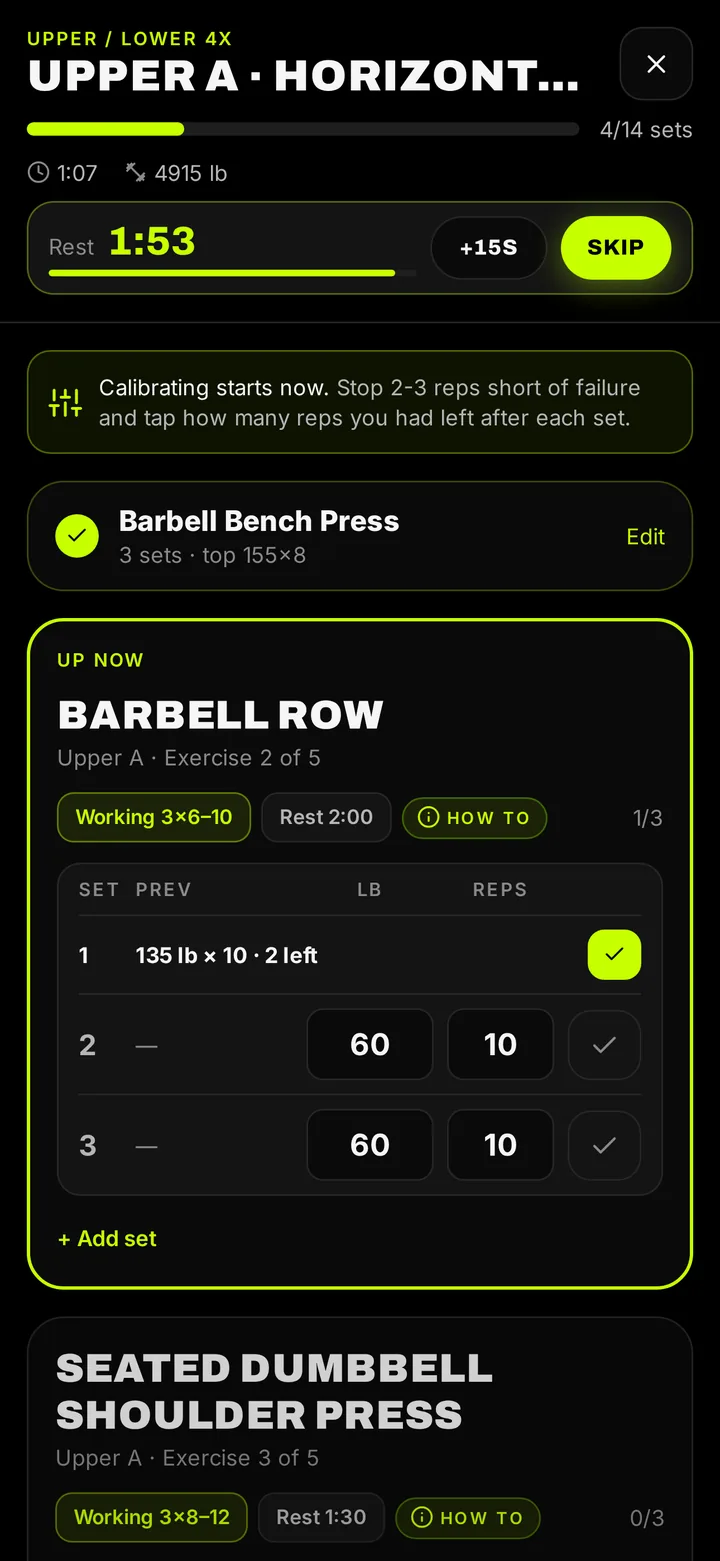
Log a set in two taps
Your last session's weights and reps are pre-filled, so most sets are a tap to confirm. The rest timer starts on its own when you finish a set. Edit any workout afterwards from Train › History.
Plans or your own routine
New lifters get a Push/Pull/Legs plan by default. Prefer your own split? Build it in about a minute: pick exercises, sets and reps. You can switch plans whenever you want without losing history. CrossFit-style training logs WODs and benchmarks like Fran, Murph and Cindy, and cardio sits right in your routine.
PRs you actually notice
Shredify flags a PR the moment you hit one and keeps a record per exercise. Strength ranks show where your lifts stand, and the Day X card makes it easy to share a milestone.
Streaks and squads keep you showing up
The hardest part of a program is week six. Streaks (with streak freezes for real life), squads with friends and weekly challenges give you a reason to open the app on days you would rather not.
How to do it in Shredify
- Pick a plan. Use the recommended Push/Pull/Legs plan or build your own.
- Start the workout. Today's session opens with last time's numbers pre-filled.
- Log each set. Confirm or edit weight and reps; the rest timer starts automatically.
- Finish. Shredify saves the session, flags PRs and updates your streak.
Questions
Can I build my own routine?
Yes. Choose "Build my own" and pick exercises, sets and reps. You can edit it any time.
Does it have a rest timer?
Yes, it starts automatically after each set.
Can I log CrossFit WODs?
Yes. CrossFit-style training logs WODs, benchmark workouts and key lifts.
Does it also track food?
Yes. Calories and macros are tracked in the same app, which is the main difference from workout-only logs like Hevy or Strong.
Shredify gives general fitness information, not medical advice. Photo calorie numbers are estimates.