
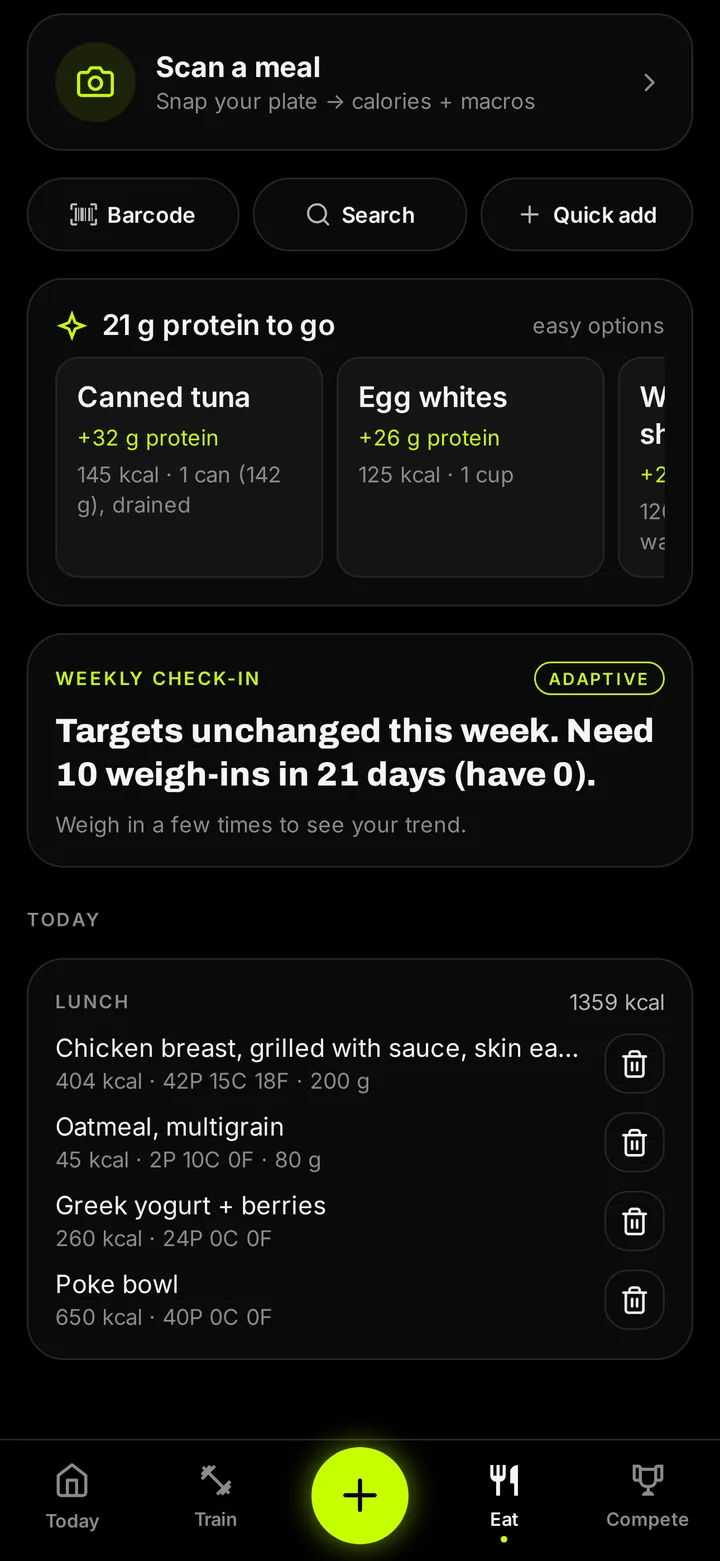
Why photo logging sticks
Most people quit food tracking because typing every ingredient is tedious. A photo removes the friction: one picture, a quick check, done. Consistency beats precision, and the meals you actually log are the ones that move the scale.
Getting a good estimate
Shoot from above in decent light with the whole plate in frame. Keep foods separated when you can. Add cooking oil, butter and sauces as their own items, since no camera can see what is soaked in. Then nudge the portion if it looks off before you save.
Photo, barcode or search
Use the photo for home cooking and restaurant plates, the barcode scanner for anything with a label, and search for quick single foods. Favorites and recents turn your usual breakfast into one tap.
Calories that connect to your training
Your log feeds daily targets for calories and protein set from your goal, whether that is a cut, a lean bulk or a recomp, and sits right next to today's workout and your weigh-in trend.
How to do it in Shredify
- Open Eat. Tap Eat and choose the camera.
- Snap the plate. One clear, top-down photo.
- Confirm. Check each food and its portion.
- Save. Calories and macros count toward today.
Questions
Which plan includes photo logging?
Pro: $14.99 a month or $79.99 a year on the web. New members can use code SHRED to get the first month of Pro for $1. Barcode scanning and search are on every plan, including Base ($7.99 a month or $49.99 a year).
Is a photo estimate exact?
No. It is a fast estimate you can correct. For packaged food, scan the barcode for label-exact numbers.
Does it count protein too?
Yes. Every photo is broken into calories, protein, carbs and fat.
Where does it run?
In any modern phone browser at app.getshredify.com, and it installs to your home screen.
Shredify gives general fitness information, not medical advice. Photo calorie numbers are estimates.